Understanding UML Use Case Diagrams
Explore the components and best practices for creating effective UML use case diagrams to model system requirements.
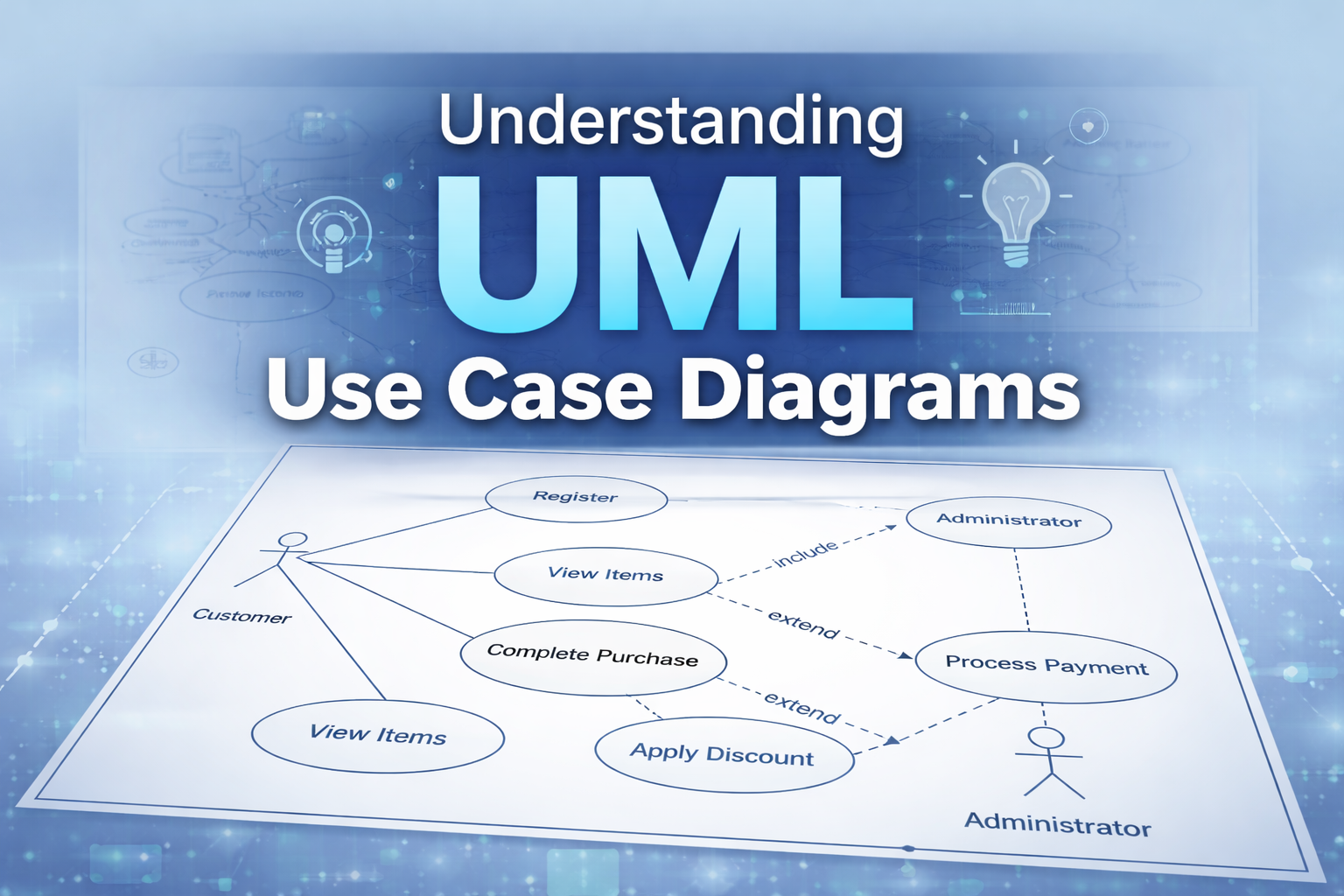
Use case diagrams answer a fundamental question in software development: "What can users do with this system?" As part of the Unified Modeling Language (UML) family, these diagrams serve as a bridge between business requirements and technical implementation.Use case diagrams provide a bird's-eye view of system functionality. Rather than detailing implementation specifics which belong in sequence diagrams and other technical artifacts. They focus squarely on functional requirements and user interactions. The emphasis is on what actions can be performed and who performs them.The diagram created above illustrates a basic online shopping system. The stick figures represent actors (Customer and Admin), the ovals are use cases (actions they can
Core Components of Use Case Diagrams
Actor (Customer): The stick figure represents the Customer, who is the primary actor interacting with the e-commerce system. In UML, actors represent roles, not specific individuals. The same person could be a Customer in one context and an Administrator in another. System Boundary: The rectangle labeled 'E-Commerce System' defines what's inside our system versus what's external. The Customer is outside because they're a user of the system, not part of it. All the use cases (ovals) are inside because they represent functionality the system provides. Use Cases: The ovals represent distinct pieces of functionality • Register - allows new customers to create accounts • Complete Purchase - the main transaction flow • View Items - browse available products • Process Payment - handles payment transactions • Apply Discount - optional discount functionality Associations: The solid lines connecting the Customer to Register, Complete Purchase, and View Items show that the customer directly initiates these actions. These are simple association relationships.
Advanced Relationships
Include Relationship: The dashed arrow from 'Complete Purchase' to 'Process Payment' labeled «include» represents a mandatory dependency. This means: • Every time a customer completes a purchase, payment processing must occur • You cannot complete a purchase without processing payment • The arrow points from the base use case (Complete Purchase) to the included use case (Process Payment) • This relationship helps avoid duplication - instead of describing payment processing in multiple use cases, we extract it once and include it where needed Think of it as: 'Complete Purchase' always includes 'Process Payment' as a required step.
Extend Relationship: The dashed arrow from 'Apply Discount' to 'Complete Purchase' labeled «extend» represents optional functionality. This means: • Discount application is optional - not all purchases use discounts • The 'Apply Discount' use case extends the behavior of 'Complete Purchase' under certain conditions • This represents conditional or alternative flows that may or may not occur. Think of it as: 'Apply Discount' extends 'Complete Purchase' when the customer has a discount code to use.
Related Articles
Understanding User Stories in Agile Development
Learn how user stories transform software requirements by focusing on user needs rather than technical specifications.
Requirements Engineering Lifecycle
Master the essential stages of requirements engineering that transform stakeholder needs into successful software solutions.